

Collection · 3 plugins
Bullet Points
- Title3
3 titles.
- Bullet List
- Bullet Point
- Bullet Point Image
3 plugins: 3 effects. They install with Awesome Video Studio and show up in your Final Cut Pro browser under Awesome Effects, which is how you find them once they are installed.

Chromatic Aberration
Chromatic Aberration
Drop it on a clip for lens style color fringing: radial, linear or barrel. Shift and scale the red, green and blue channels separately and control the falloff toward the edges.
Grain
Grain
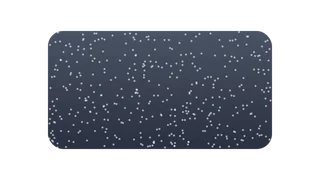
Drop it on a clip to add film grain. Set the amount and grain size, switch between color and monochrome grain, and weight it toward the shadows.

Vignette
Vignette
Drop it on a clip to darken or tint its edges. Set the amount, radius, softness and roundness, choose the color, and move the center off axis if the subject is.
Every plugin here is a real FxPlug effect, not a preset or an overlay file. Awesome Video Studio installs them and keeps them up to date, so a fix reaches you without reinstalling anything by hand.
They appear in Final Cut Pro under Awesome Effects, and because every name starts with Awesome they sort to the top of the browser instead of being scattered through it.
Collection · 3 plugins
3 titles.

Collection · 3 plugins
3 titles.

Collection · 19 plugins
12 titles, 5 effects and 2 transitions.
Collection · 18 plugins
12 titles and 6 effects.