

Collection · 3 plugins
Skin Retouch
- Effect3
3 effects.
- Eye Retouch
- Lip Retouch
- Skin Retouch
3 plugins: 3 titles. They install with Awesome Video Studio and show up in your Final Cut Pro browser under Awesome Bullet Points, which is how you find them once they are installed.
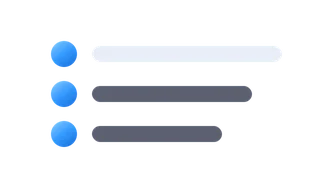
Bullet List
Bullet List
A quick list of up to four bullet lines on screen. Type each line, then set font size, text and bullet colors, and the X/Y position.

Bullet Point
Bullet Point
One bullet per title: a glyph chip (dot, check, cross, star, number or letter) plus text, with optional pill. Stack several and snap them to a grid to line up.

Bullet Point Image
Bullet Point Image
A bullet whose chip is your own image: drop in an icon or photo, crop it to a circle, squircle or square, and add text beside it with staggered build in.
Every plugin here is a real FxPlug effect, not a preset or an overlay file. Awesome Video Studio installs them and keeps them up to date, so a fix reaches you without reinstalling anything by hand.
They appear in Final Cut Pro under Awesome Bullet Points, and because every name starts with Awesome they sort to the top of the browser instead of being scattered through it.
Collection · 3 plugins
3 effects.

Collection · 3 plugins
3 effects.

Collection · 19 plugins
12 titles, 5 effects and 2 transitions.
Collection · 18 plugins
12 titles and 6 effects.