

Collection · 19 plugins
360
- Title12
- Effect5
- Transition2
12 titles, 5 effects and 2 transitions.
- 360° Bullet Point
- 360° Callout
- 360° Chapter Break
- 360° Speaker Tag
- +15 more
18 plugins: 12 titles, 6 effects. They install with Awesome Video Studio and show up in your Final Cut Pro browser under Awesome Camera Moves, which is how you find them once they are installed.
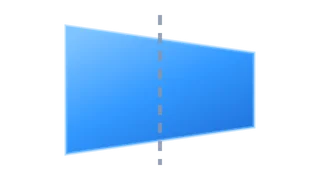
3D Swing
3D Swing
Adjustment layer that swings the clips below in real perspective, like a door opening or a screen laying back. Drag the crosshair to set the pivot, then pick swing in, out or through.
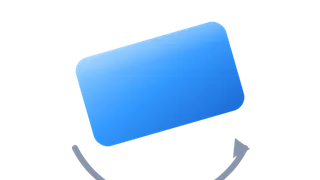
Camera Roll
Camera Roll
Adjustment layer that tilts the shot underneath into a dutch angle around a fixed pivot. Drag the lollipop handle to set the roll angle and choose roll in, roll out or through.
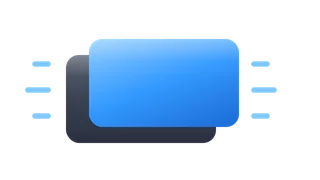
Camera Shake
Camera Shake
Adjustment layer that shakes everything below it, so one shake covers several clips at once. Set shake amount, frequency and rotation, and add motion blur for heavier hits.

Crash Zoom
Crash Zoom
Adjustment layer that punches into the clips below, holds, then pulls back out. Drag the crosshair to the punch point and pick an ease (overshoot, elastic, snap) for each side.
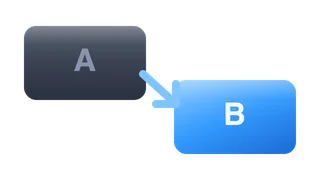
Custom Move
Custom Move
Adjustment layer that moves from a start framing to a target framing with no keyframes. Use the viewer handles to draw the target: crosshair for position, ring for zoom, lollipop for roll.
Dolly Zoom
Dolly Zoom
Adjustment layer that pushes in or pulls back on the clips below. Drag the crosshair in the viewer to pick where it zooms, use the ring for amount and the lollipop for a dutch roll.
Handheld Camera
Handheld Camera
Adjustment layer that adds handheld camera motion to every clip below it. Start from a preset (Documentary, Run & Gun, Drone Hover, Party) and tune intensity, speed and breathing.
Horizontal Pan
Horizontal Pan
Adjustment layer that pans across the clips below it, left to right or right to left. Set the pan distance and easing, with optional motion blur, and stretch it over several clips at once.
Orbit
Orbit
Adjustment layer that moves the frame below along a circular path. Drag the crosshair to set the orbit center, then set the sweep angle and radius; zoom is raised to hide the edges.
Straight Cut
Straight Cut
Adjustment layer for jump-cut reframes: it instantly zooms, moves or rotates the shot below with no animation. Drag the handles in the viewer to frame it and let the edit make the cut.
Vertical Tilt
Vertical Tilt
Adjustment layer that tilts up or down across the clips below it. Set the tilt distance, direction and easing, with optional motion blur, and stretch it over several clips at once.
Zoom + Focus
Zoom + Focus
Adjustment layer that zooms the clips below while racking focus. Drag the crosshair to the focal point, then choose a focus mode (land, quick rack, breathe) and a blur type.
Camera Shake
Camera Shake
Drop it on a single clip to shake just that shot. Set shake amount, frequency and rotation, plus motion blur. For a shake across several clips at once, use the title version instead.
Dolly Zoom
Dolly Zoom
Drop it on one clip for a push-in or pull-back on that shot only. Set the focal point, zoom amount and roll in the inspector. The title version adds handles in the viewer.
Handheld Camera
Handheld Camera
Drop it on one clip to give that shot handheld motion. Pick a preset (Documentary, Shoulder Rig, Gimbal Float...), then adjust intensity and speed. Ramps in and out smoothly.
Horizontal Pan
Horizontal Pan
Drop it on a single clip to pan across it, left to right or right to left. Set pan distance, easing and motion blur. For a pan spanning several clips, use the title version.
Vertical Tilt
Vertical Tilt
Drop it on a single clip to tilt up or down across it. Set tilt distance, direction and easing, plus motion blur. For a tilt spanning several clips, use the title version.
Zoom + Focus
Zoom + Focus
Drop it on one clip to zoom in or out while racking focus on that shot only. Set the focal point, defocus amount and blur type (Gaussian, Bokeh, Dreamy) in the inspector.
Every plugin here is a real FxPlug effect, not a preset or an overlay file. Awesome Video Studio installs them and keeps them up to date, so a fix reaches you without reinstalling anything by hand.
They appear in Final Cut Pro under Awesome Camera Moves, and because every name starts with Awesome they sort to the top of the browser instead of being scattered through it.
Collection · 19 plugins
12 titles, 5 effects and 2 transitions.
Collection · 15 plugins
15 titles.
Collection · 13 plugins
9 titles and 4 effects.
Collection · 11 plugins
6 titles and 5 effects.