

Collection · 3 plugins
Effects
- Effect3
3 effects.
- Chromatic Aberration
- Grain
- Vignette
3 plugins: 3 titles. They install with Awesome Video Studio and show up in your Final Cut Pro browser under Awesome Text, which is how you find them once they are installed.

Card Text
Card Text
Editable text on a rounded card that resizes to fit the words. Style the card with color or gradient, corner radius, padding, border and shadow, and slide or pop it in and out.
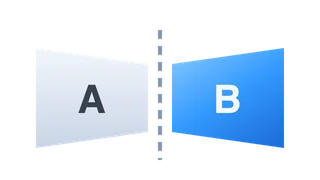
Flip Card
Flip Card
A text card that flips in 3D to reveal another side, with up to eight texts chained in a row. Choose horizontal or vertical flips, when they happen, and a full font setup per face.

Simple Text
Simple Text
A plain text title with the basics only: type your text, set the font size and color, and place it with the X and Y position sliders. Good for quick labels.
Every plugin here is a real FxPlug effect, not a preset or an overlay file. Awesome Video Studio installs them and keeps them up to date, so a fix reaches you without reinstalling anything by hand.
They appear in Final Cut Pro under Awesome Text, and because every name starts with Awesome they sort to the top of the browser instead of being scattered through it.
Collection · 3 plugins
3 effects.

Collection · 2 plugins
2 titles.

Collection · 19 plugins
12 titles, 5 effects and 2 transitions.
Collection · 18 plugins
12 titles and 6 effects.